How to manage and share secrets
Secrets are named sets of key=value pairs that are stored in the devpanel secret manager and can be injected into cron jobs and deployments (which will be explained in the later articles) as environment variables.
Secrets are a convenient way to avoid the need to have plain text passwords in the source code, as well as other hard-coded parameters, such as parameters for connecting to a database: SQL server name, user name, database name and, as already mentioned, the password. Instead, the source code can use the environment variables which are set by injecting secrets.
If we have multiple secrets, each representing a set of parameters for connecting to different databases, then we can easily switch databases in our cron jobs or deployments by changing the name of the secret in use.
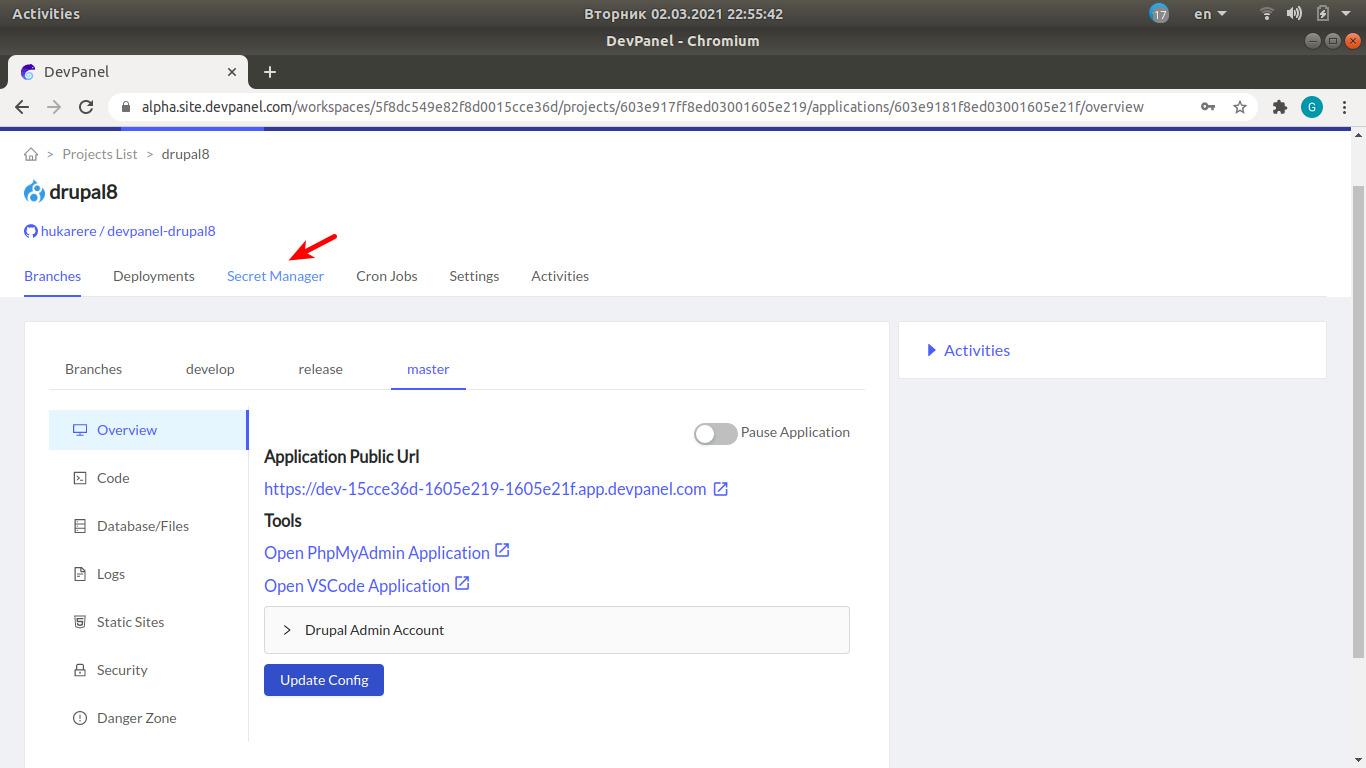
Opening the secret manager
In the project navigation menu, click on "Secret Manager".
Creating new secrets
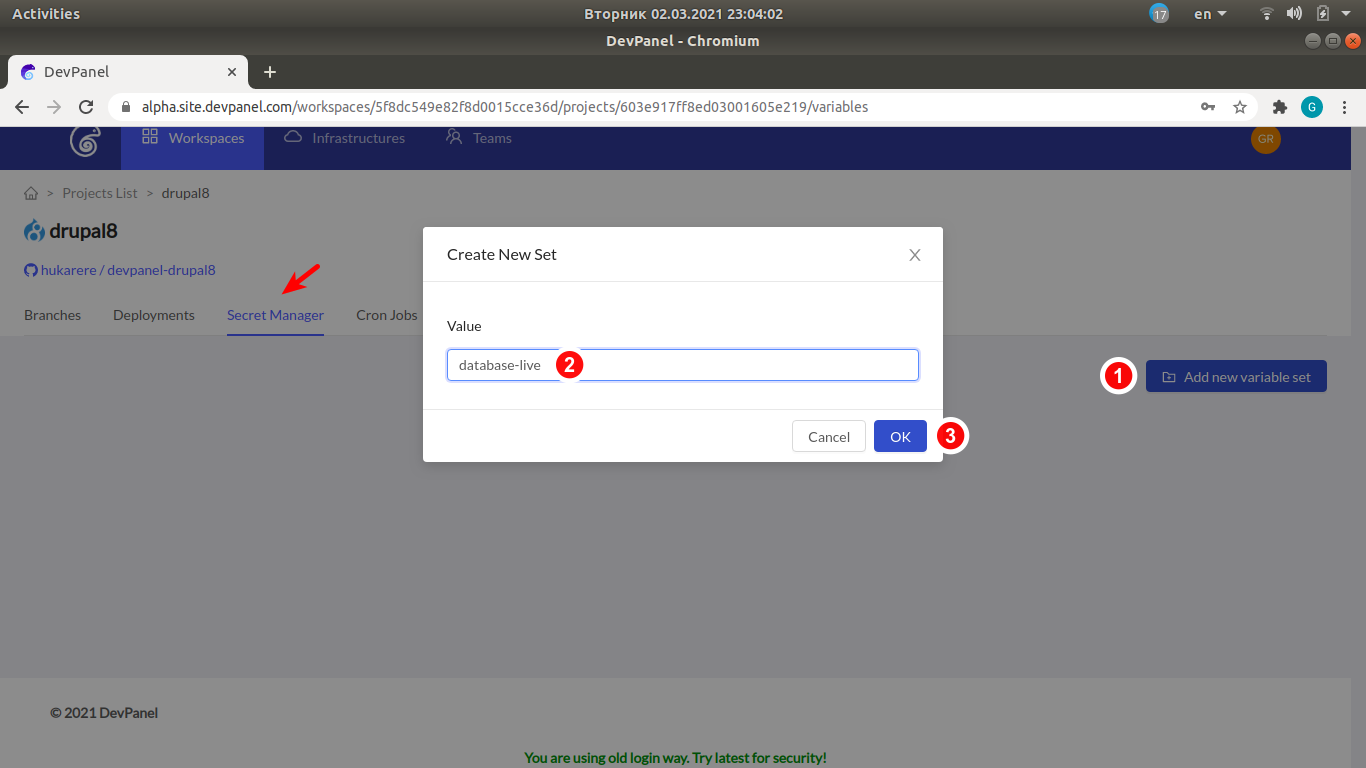
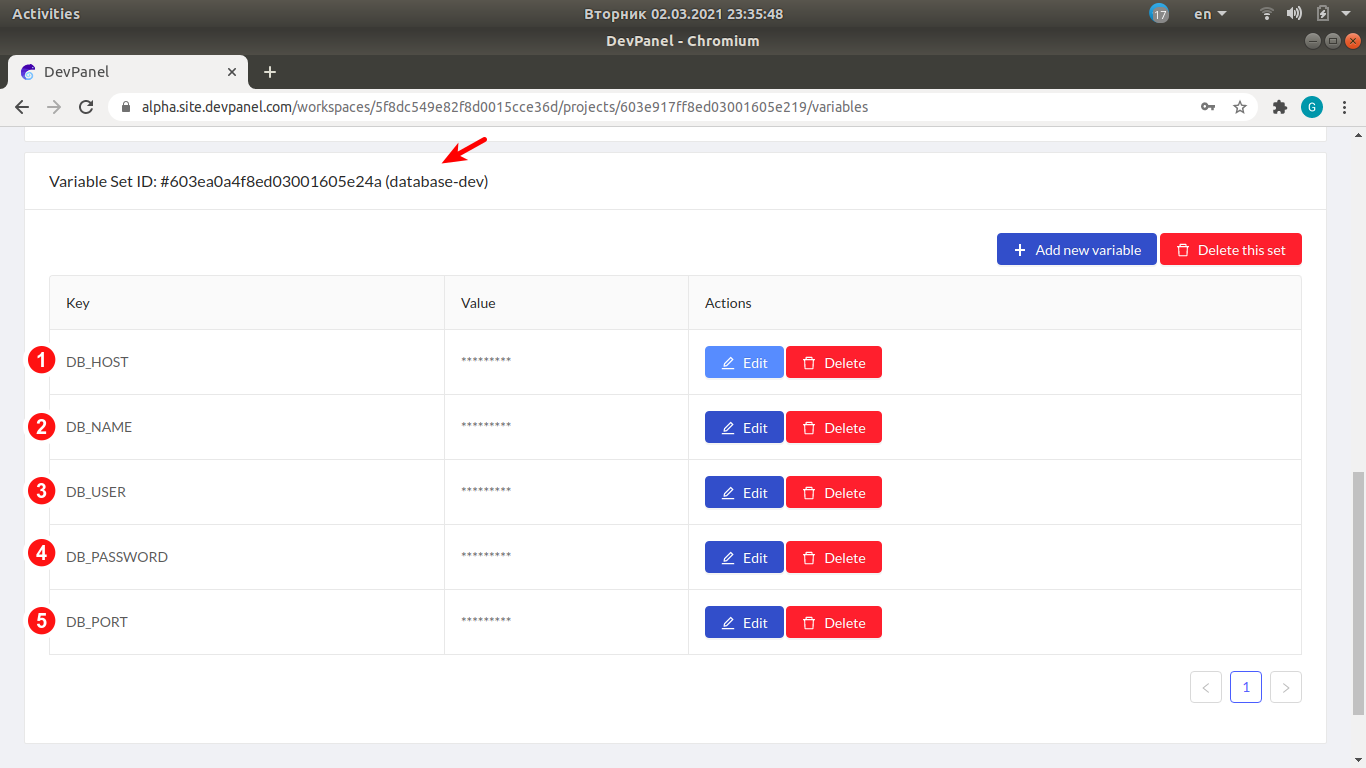
Let's assume that we have two different databases, live and dev. We will create two secrets (sets of variables), database-live and database-dev, which will contains parameters for connecting to the two databases.
In the secret manager, click on "Add new variable set", type the secret name in the popup window and click "OK".
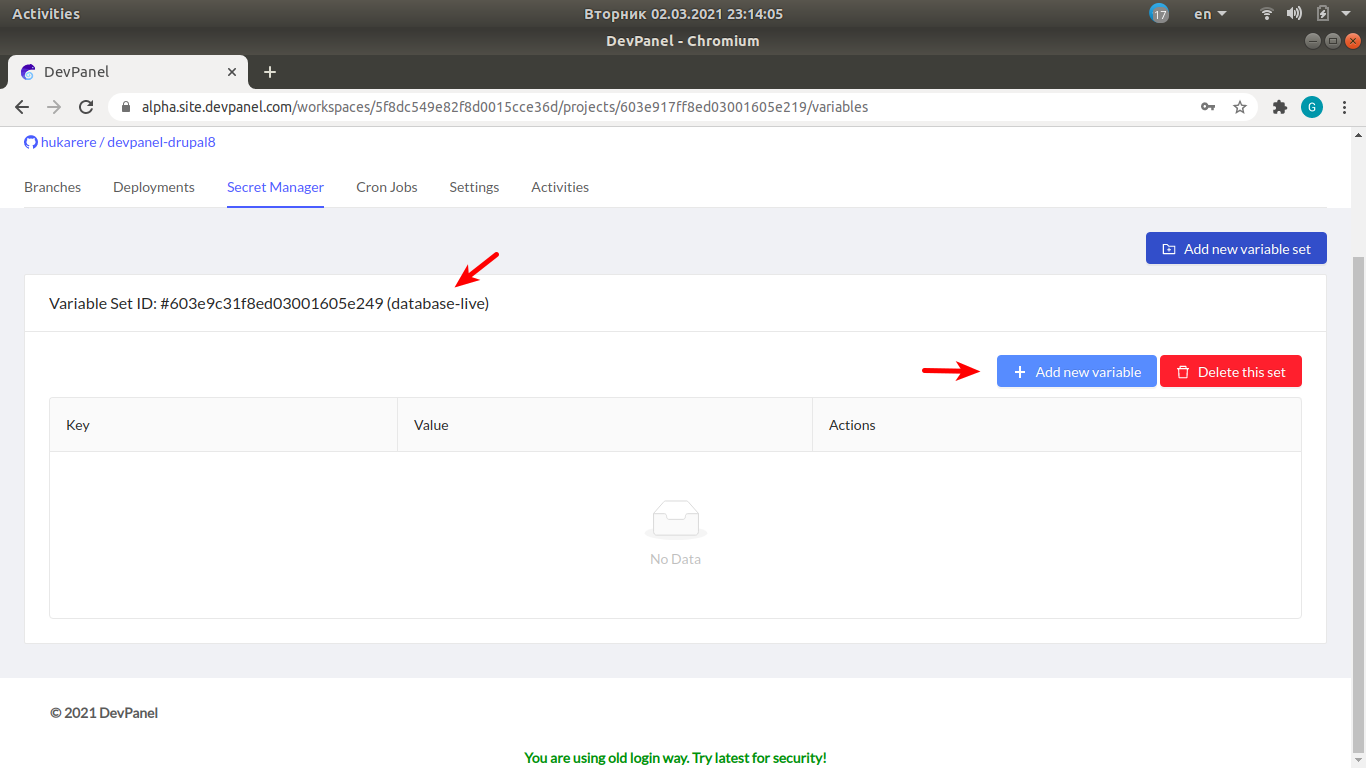
Adding new variables to secrets
- Under the secret name "database-live", click on "Add new variable".
- Then specify the key (variable name) and the value in the popup window.
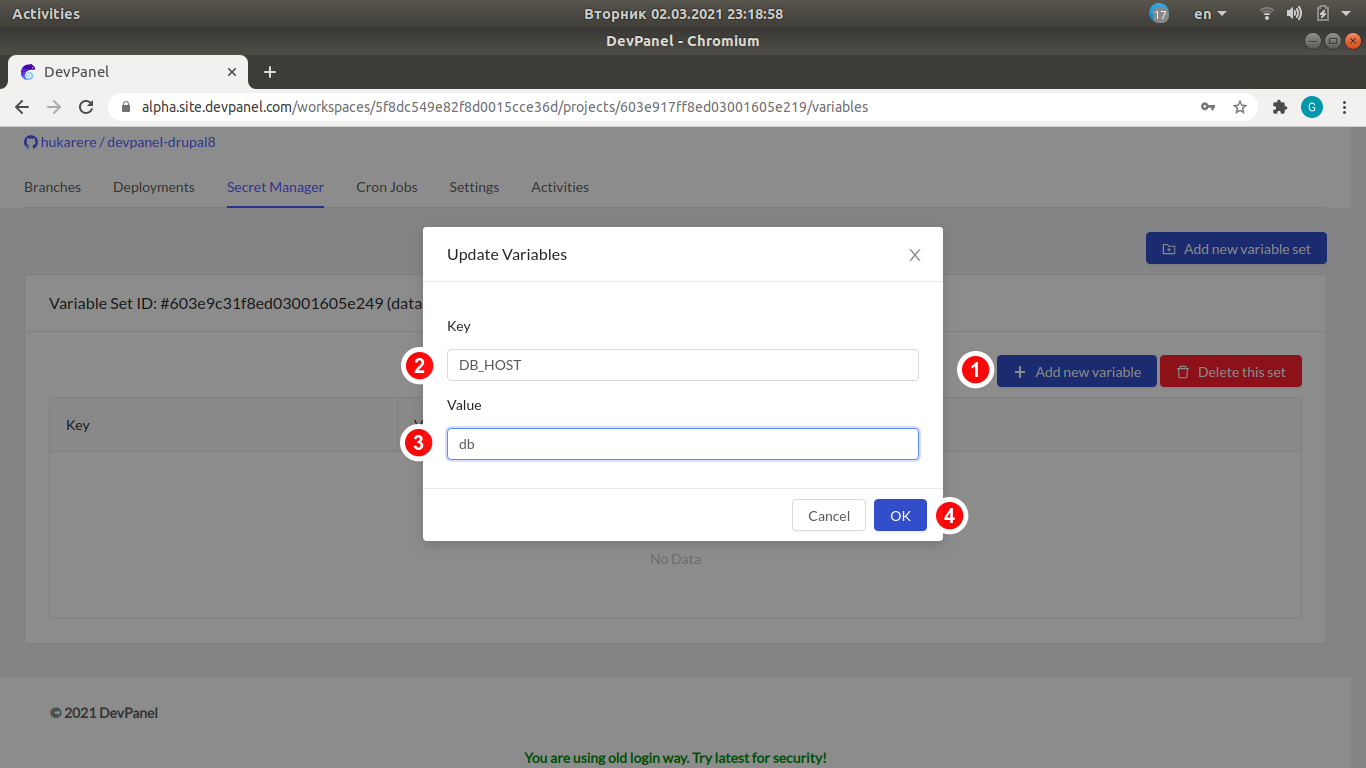
- Go ahead and create all the required database connection parameters using the "Add new variable" button multiple times:

Create another secret
Similarly, create another secret, database-dev, with the same set of variables.
Using secrets
Please see instructions on how to inject secrets into cron jobs and deployments in the respective articles:
- Cron Jobs: Creating, editing and running scheduled operations.
- Deployments: Managing Application and Kubernetes Deployments.