Drupal Setup and Config
Drupal Admin Access
Using the built-in VS Code IDE, use the following drush command to get a one-time admin access link:
drush uli -l $DEVPANEL_HOSTNAMENotice the difference between using this drush command with and without arguments:
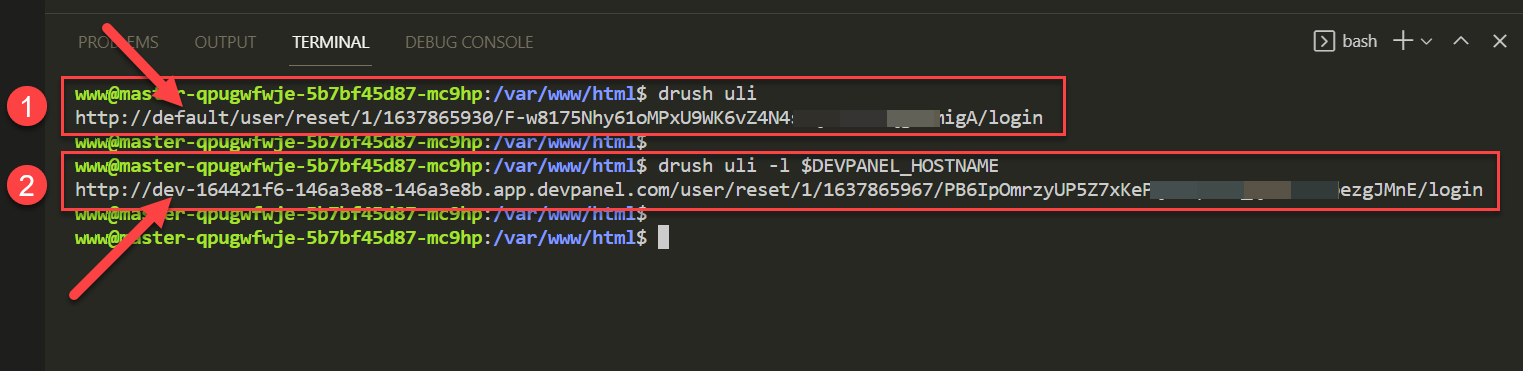
- without arguments: the login link that's generated begins with
https://defaultwhich will not work since the URL of the site is different - with argument: the login link begins with the correct domain name... all you have to do is "Control+Click" on this URL to login to your Drupal site as an admin.
Configuring a Drupal Multi-Site
There are many ways to set up a Drupal multi-site in DevPanel, but the most simple, easy and clean approach is to create a separate DevPanel "Project" for each of your multi-sites using the following process:
Verify that your repo is set up correctly
In your repo, you should see each of your (multi-site) site in a separate directory under the \<docroot>/sites/ directory as such:
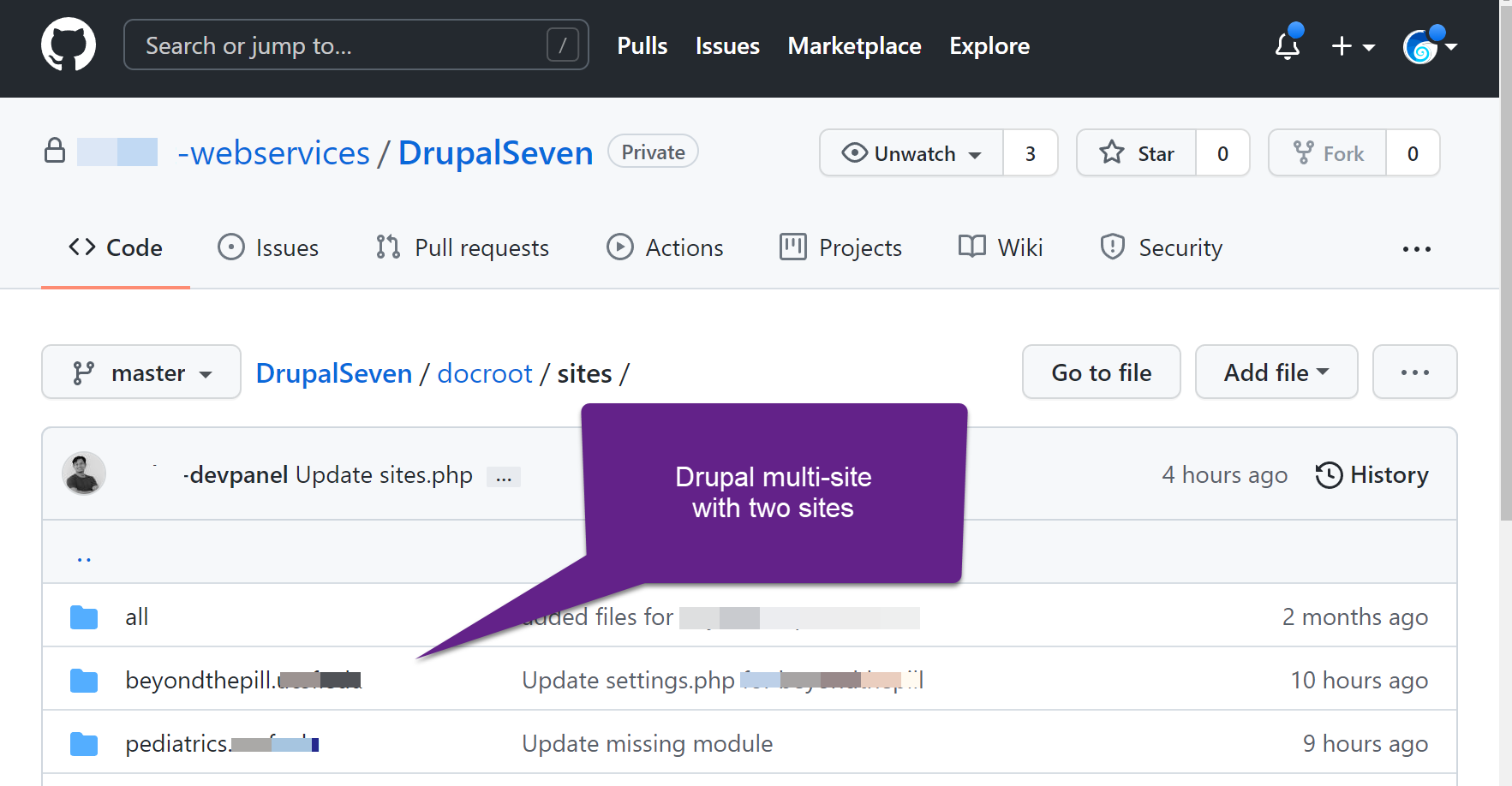
Set up separate projects for each site in DevPanel
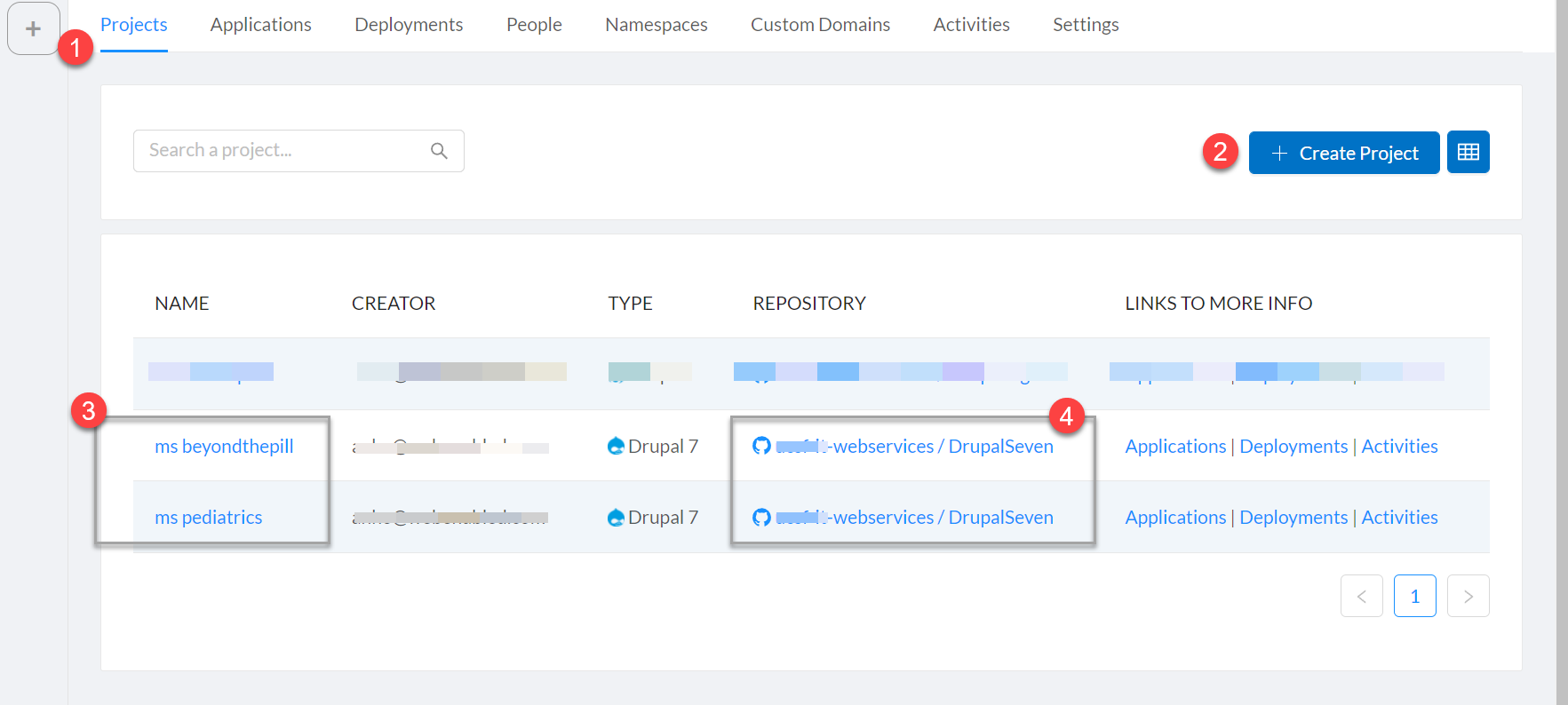
In DevPanel,
- On the Projects tab of your Workspace
- Create a separate project for each (multi-site) site
- Name each project the name of that (multi-site) site
- Point each project to the same repo
Start with just the master/main branch. Build out the application on the master/main branch in each project using the database for that (multi-site) site... or build it from scratch and then import the (multi-site) site database into that application through PhpMyAdmin replacing the original database.
Create a default sym-link in each project
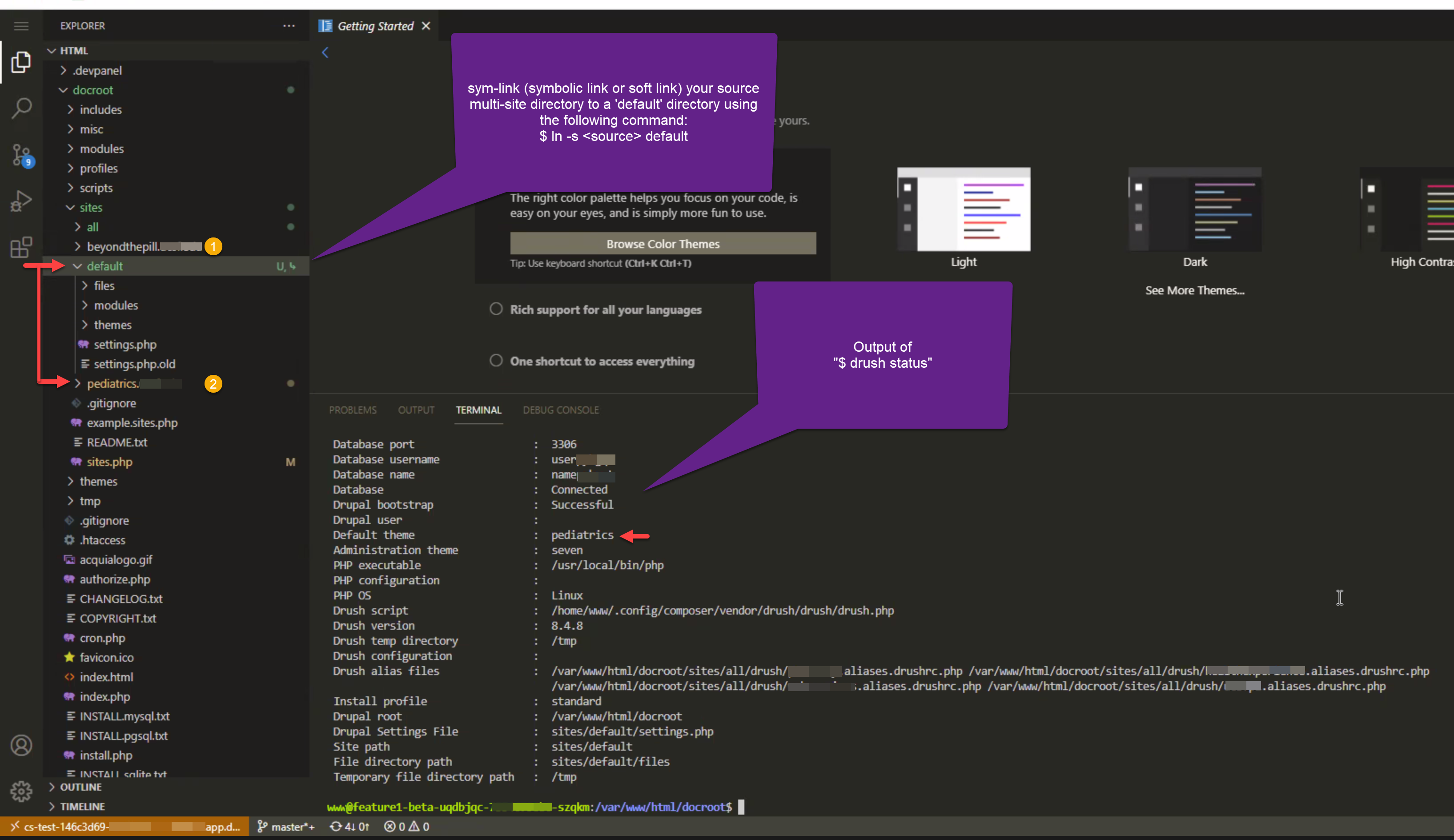
Use the following command to create the sym-link:
cd <docroot>/sites
ln -s $PWD/<multi-site dir> default
The default directory in each project will point to it's own multi-site
JFYI: sym-links are also known as symbolic-links and soft-links
You might want to put the default directory in git-ignore so it stays out of your repo. Since each project will be using the same source tree, and each project will have a different default directory, it makes no sense to have the default directory in the source tree... and having it there might cause some issues too.
Test everything
Test the application URL of the master/main branch of each project to make sure the correct (multi-site) site comes up.
Create a new develop or feature branch in your repo. Once you do this, these brances will show up in all the projects built from that repo.
Building out that branch in each project as a clone of master/main in that project should work correctly...
The cloning in project is based on the default folder/pointer within each branch.