How to create feature branches and test apps.
Creating Branches
To create a branch of an application, first go to the repo of that application.
Click on the repo name on the application page.
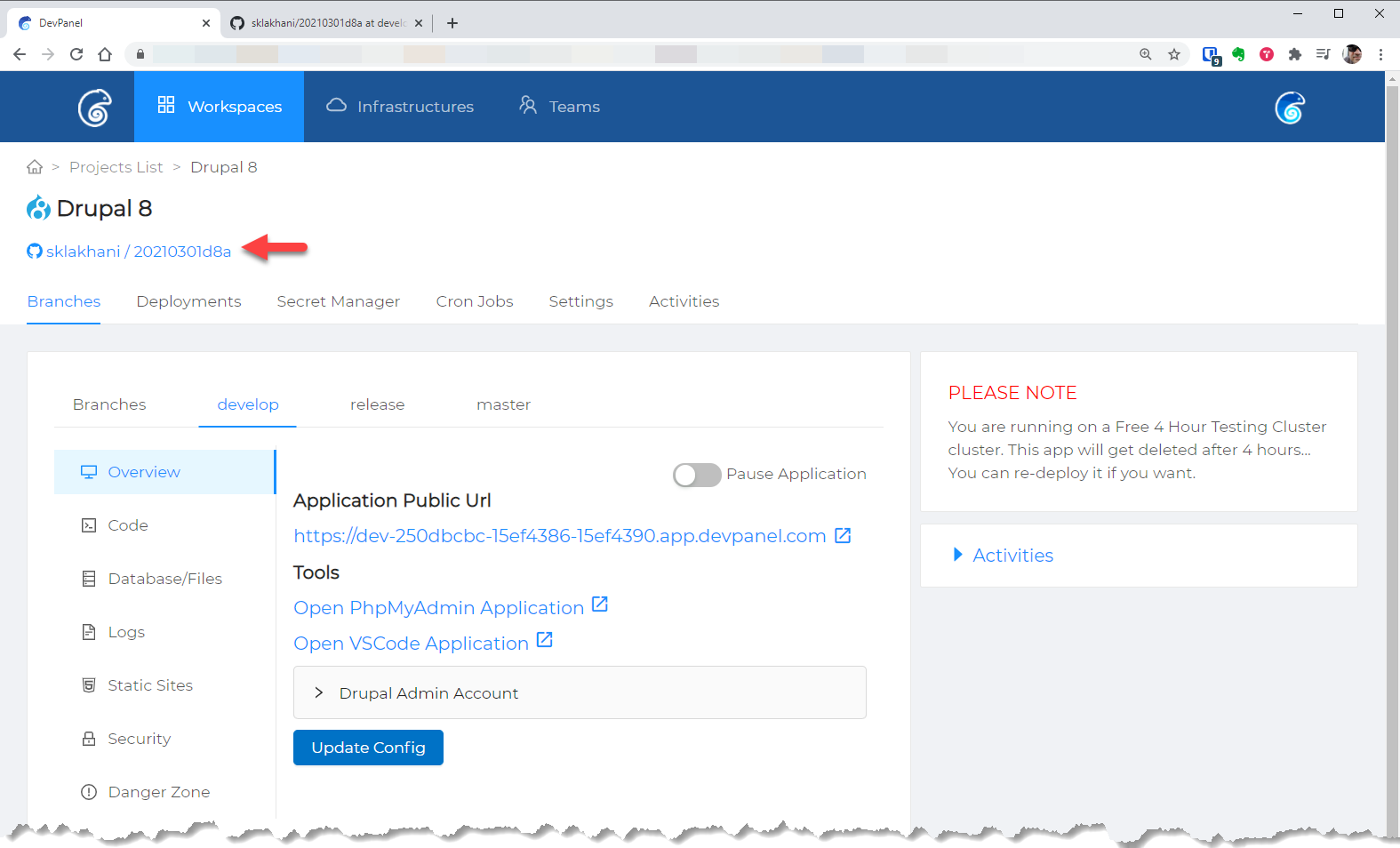
this link will open the repo page
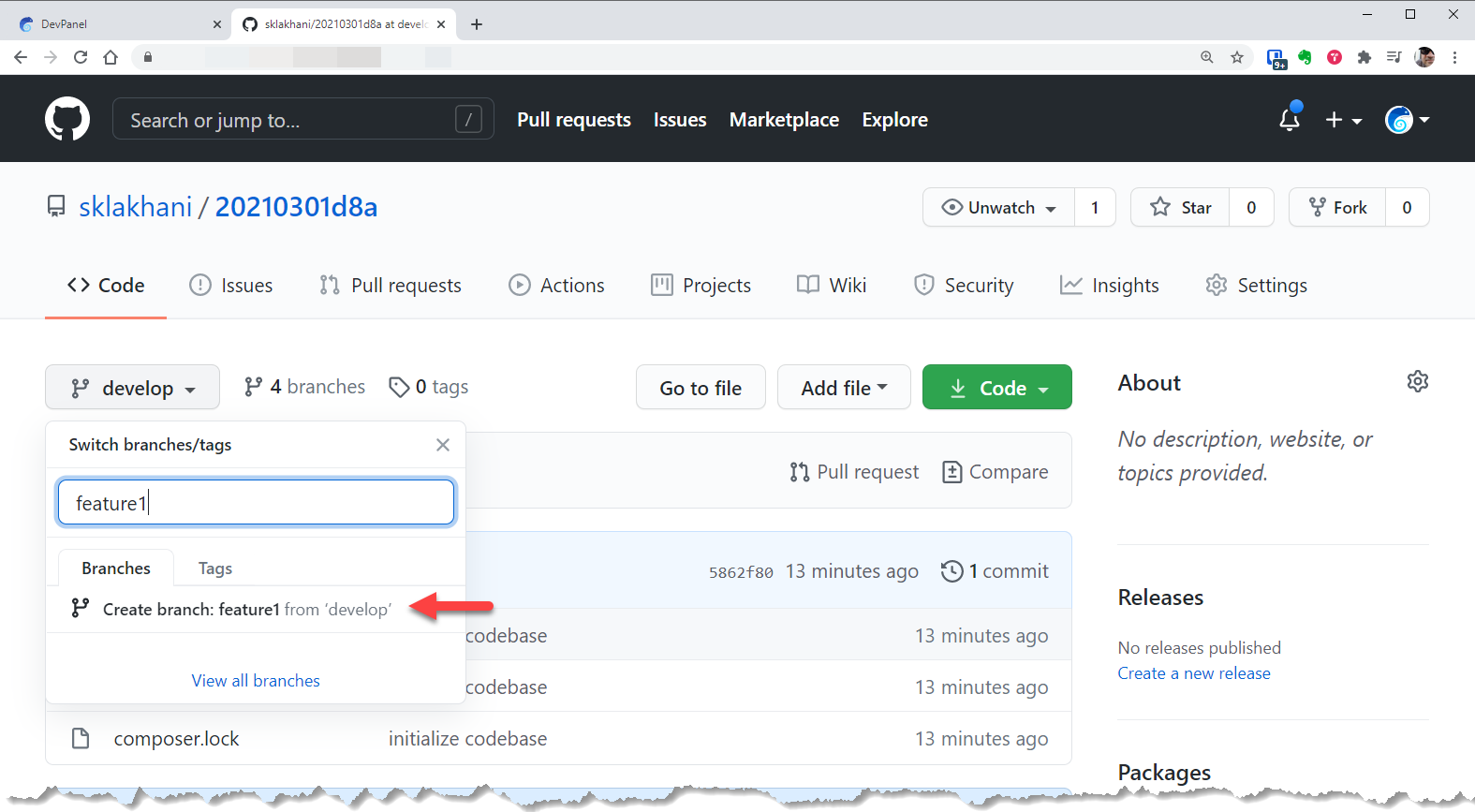
In GitHub (or in your git provider,) create a new branch...
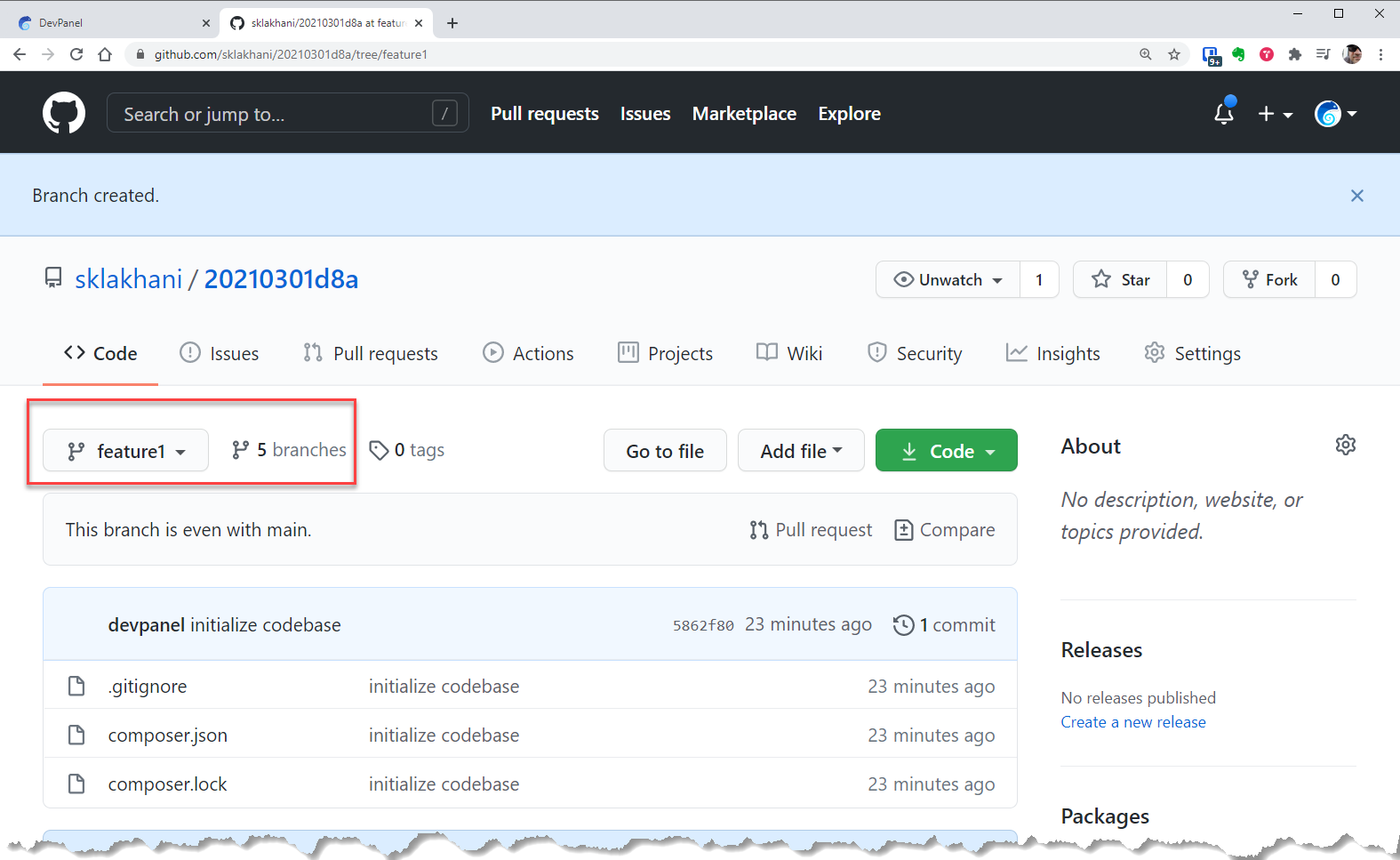
Verify that the branch is created in GitHub (or your git provider)
When you return to DevPanel, you will see the new branch under "Branches" view. If you do not see the new branch, click the "Sync All Branches" button and REFRESH the page.
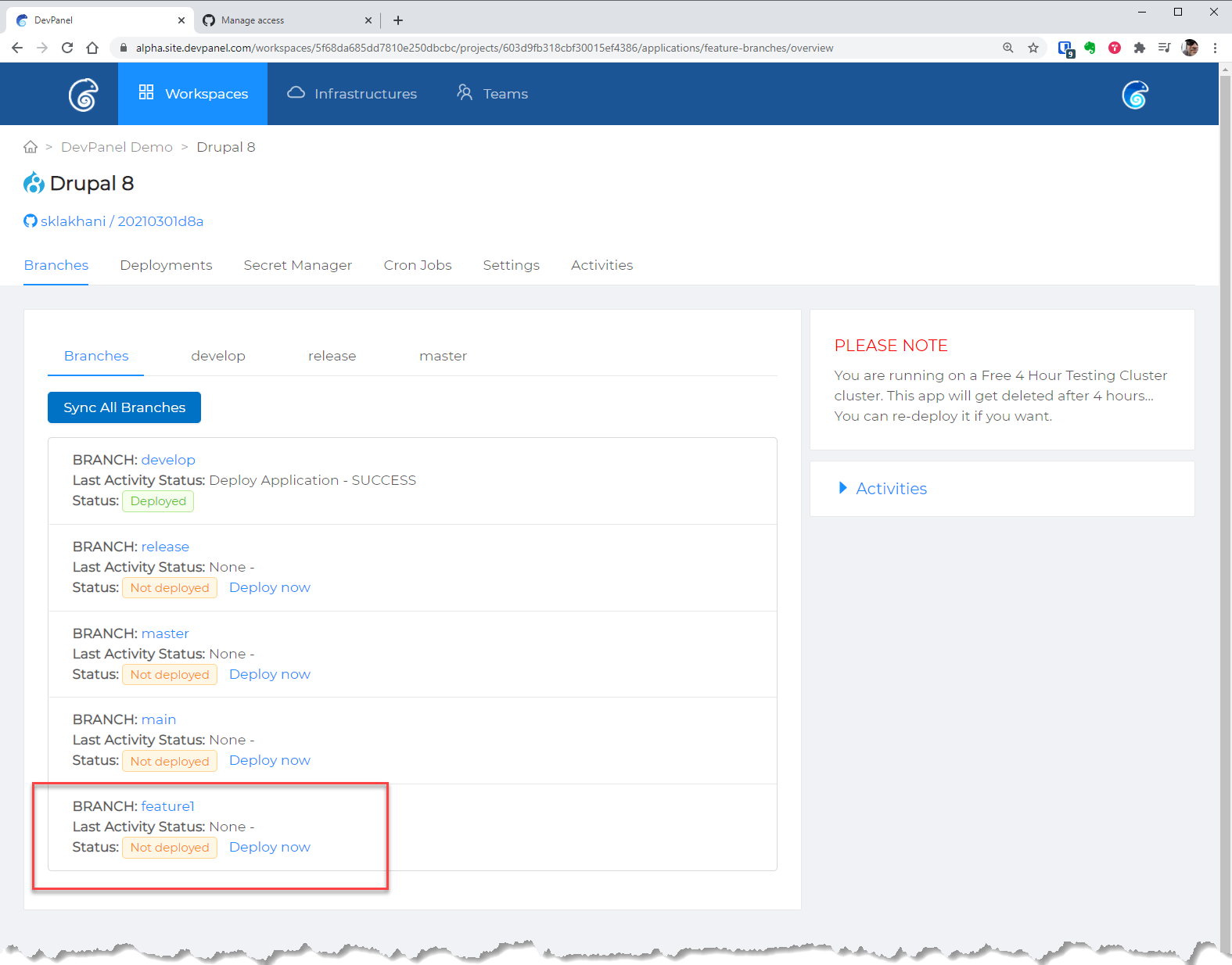
From here, you can now build out this branch into an application.