Create VPCs, cluster, databases, etc.
Create your Infrastructure
There are many ways to create infrastructure in your AWS account through DevPanel but the simplest way is to do it during the Workspace creation process.
Create a Workspace
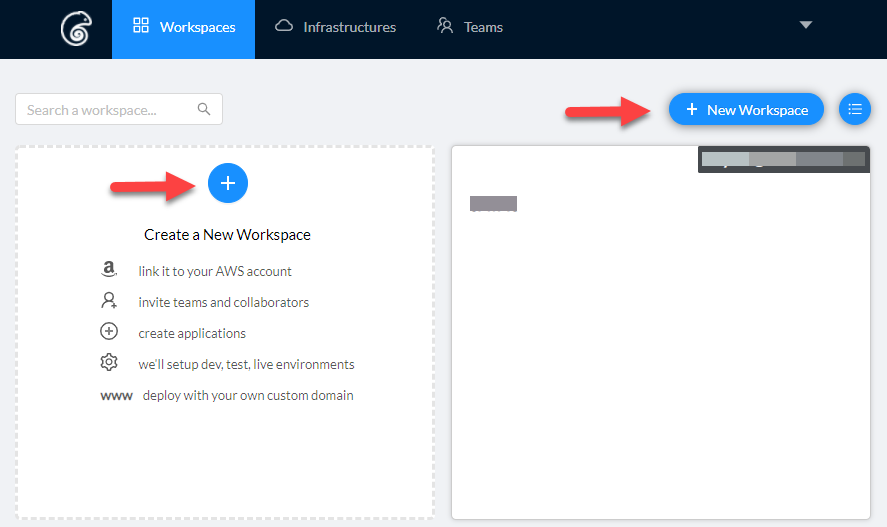 When you create a workspace, you will be given an option to create infrastructure in the AWS account that's linked to that workspace.
Create Infrastructure
As the last step in the Workspace creation process, you can specify and size the infrastructure you want to create.
Here, you can specify the region, the size, and specs for your cluster and your database.
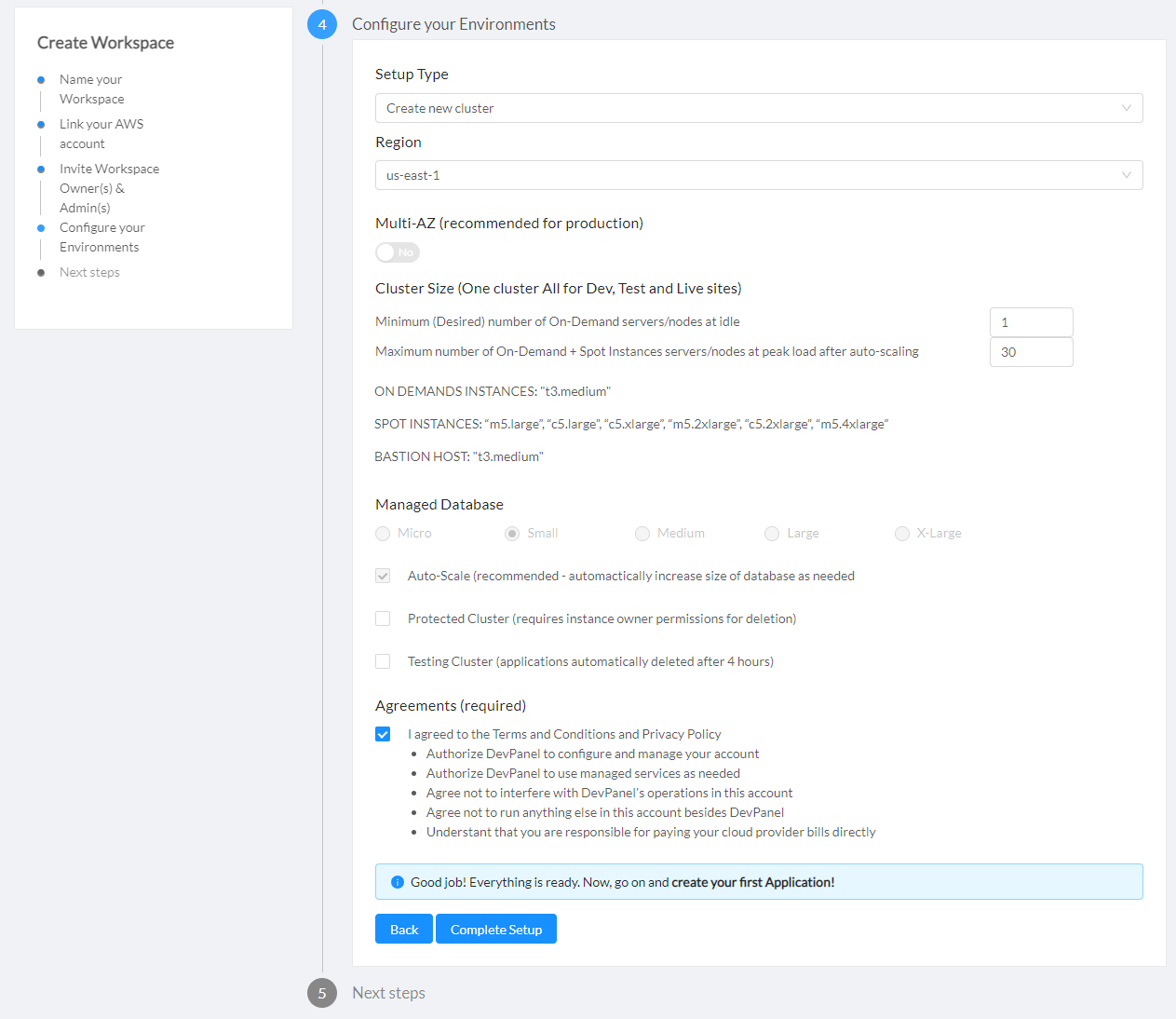
You can click "Complete Setup" only after you agree to the conditions listed on the page.
Your agreements include:
- Authorize DevPanel to configure and manage your account
- Authorize DevPanel to use managed services as needed
- Agree not to interfere with DevPanel's operations in this account
- Agree not to run anything else in this account besides DevPanel
- Understant that you are responsible for paying your cloud provider bills directly
The Infrastructure creation process can take up to 30 minutes.