How to assign a custom domain to your application
Assign a Domain Name
First, create an application and make get it ready to publish it under a custom domain name.
Make sure the application is secure and you're using strong passwords.
Select an application
In this example, we're going to use the following application:
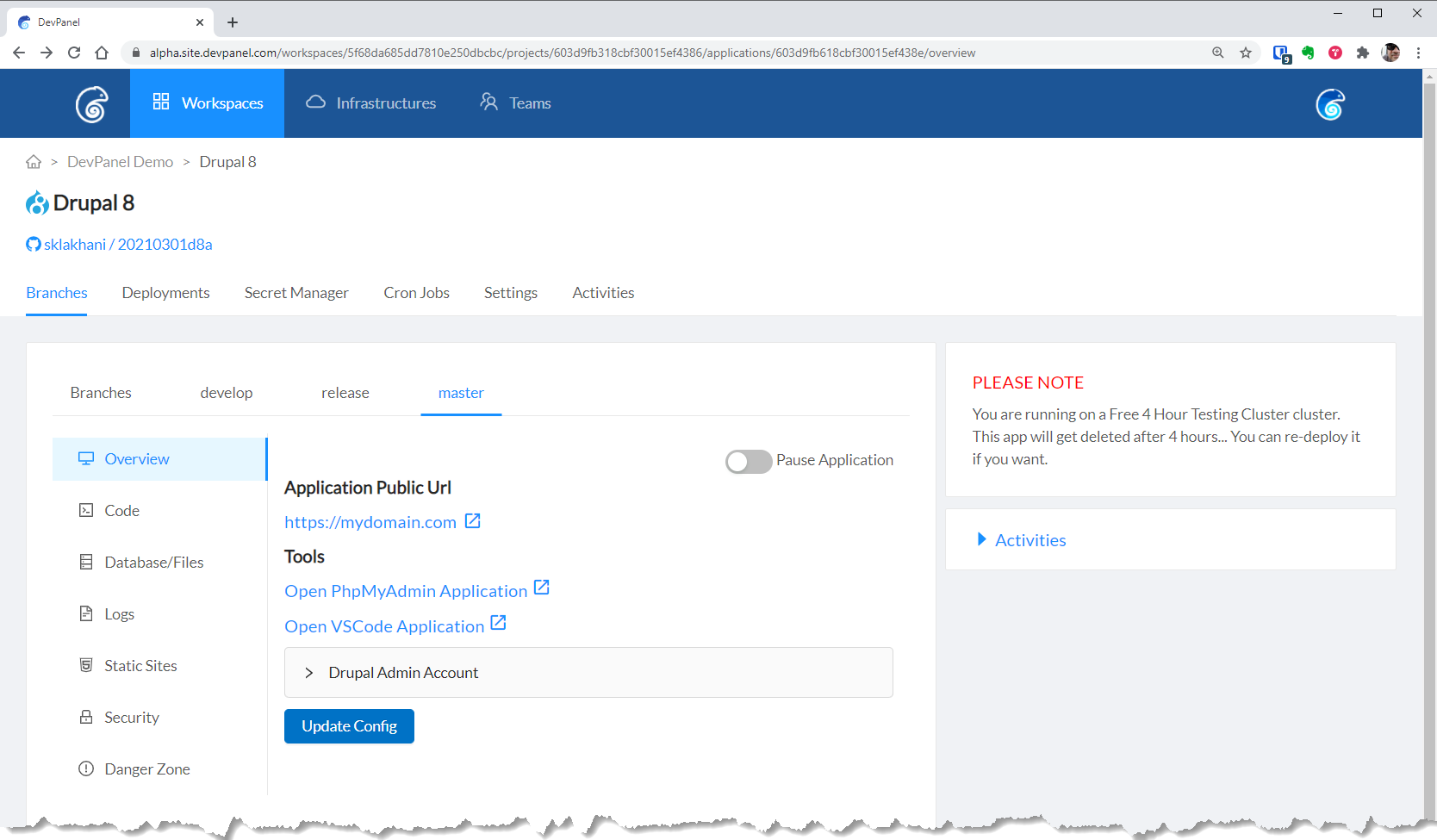
We will assign a custom domain to the "MASTER" branch of the "Drupal 8" application.
Configure domain name
Go to the "Custom Domains" page of the workspace
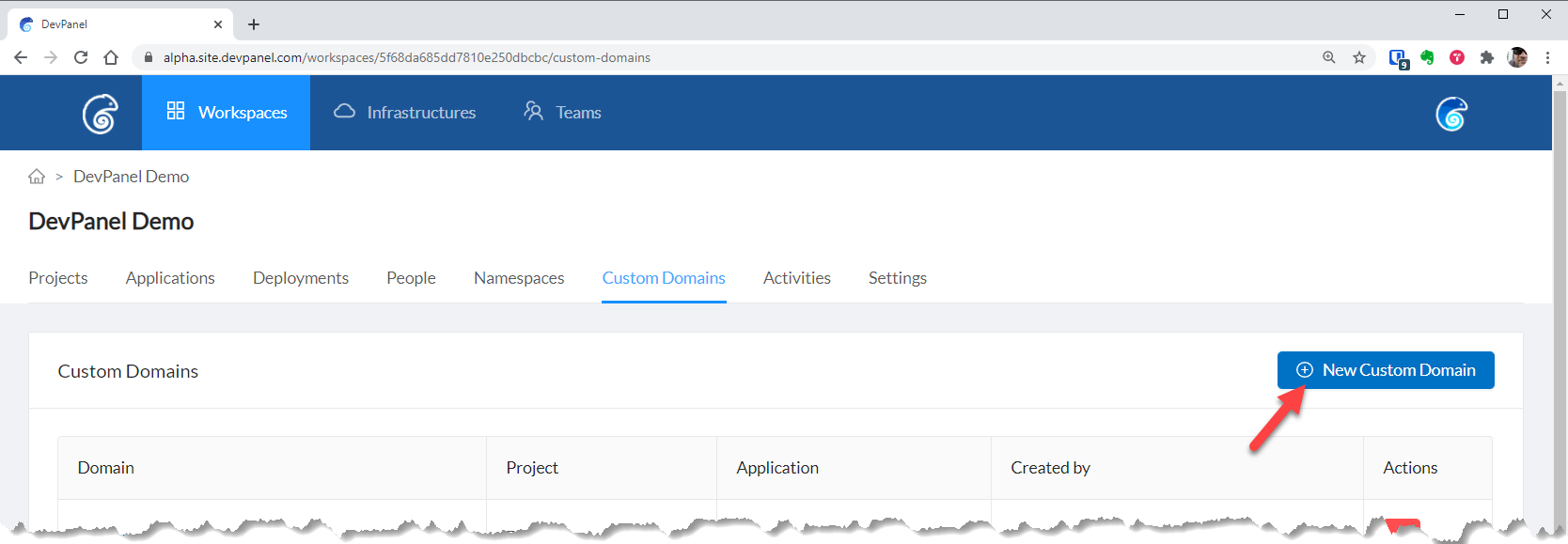
Next enter your domain information...
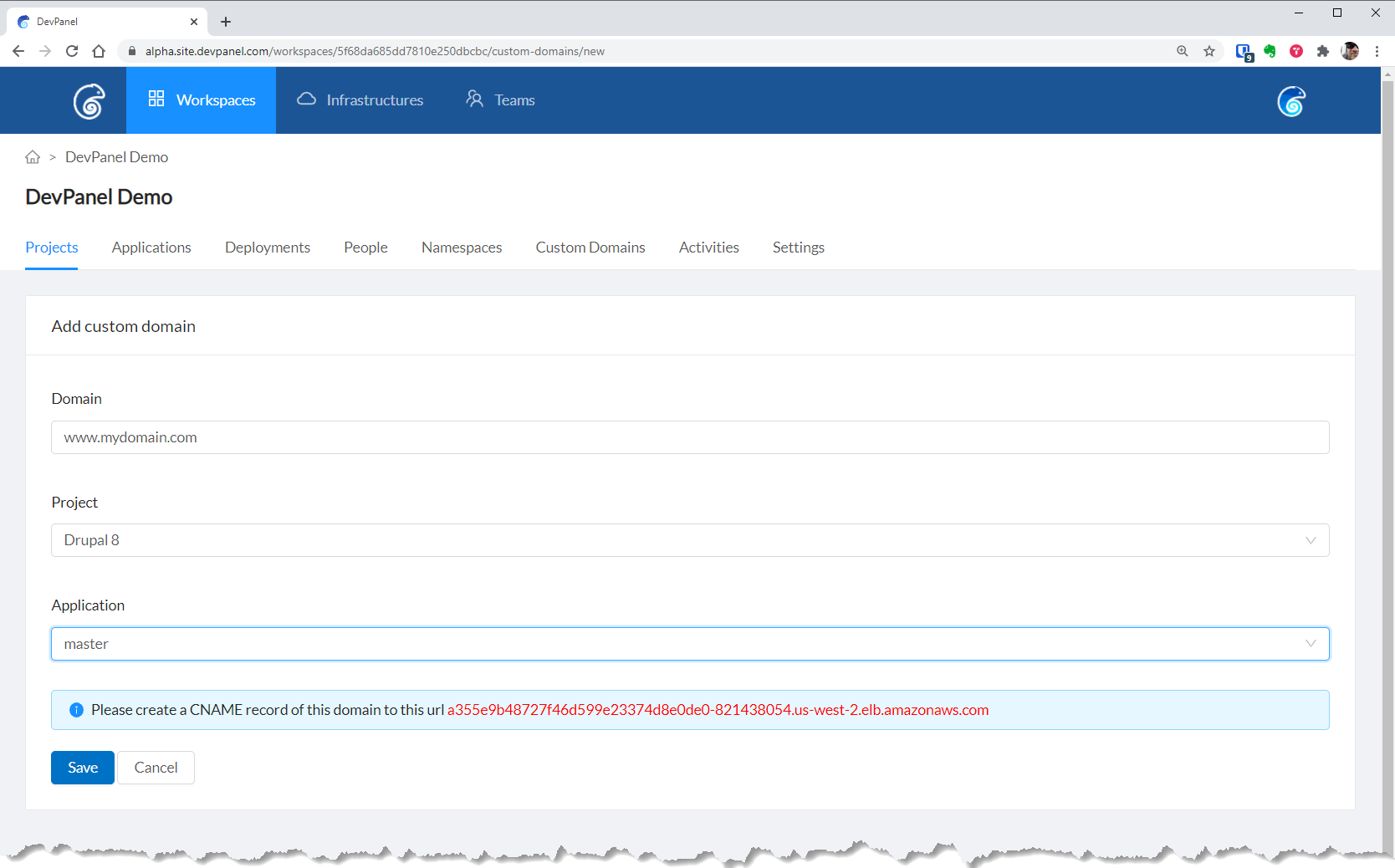
- Enter the domain name (proceeded by a sub domain, like www. or my.)
- Select the Project from the dropdown (eg: Drupal 8)
- Select the Branch of that project (eg: Master)
COPY this CNAME string and save it some safe place.
Configure your DNS to point to this "CNAME" - this should be done with your Domain Name Registrar (like Godaddy.)
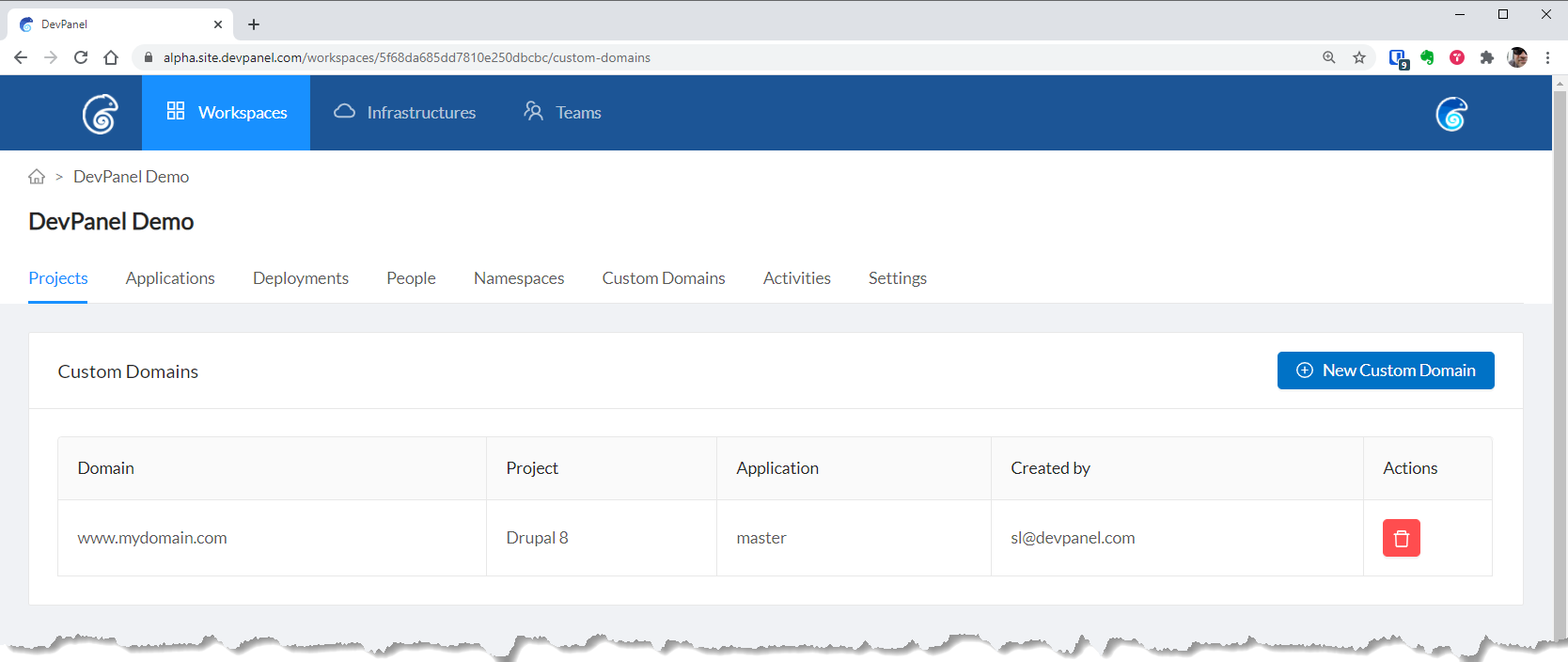
After you click the "Save" button, you will see the following screen.
SSL Certificate
You will need to upload your own SSL Certificate for this domain.
You can upload a purchased SSL Certificate or generate a free one with LetsEncrypt.
If you use a LetsEncrypt SSL Certificate, you'll have to renew/replace/rotate the cert yourself.