Managing Dev, Test, Live versions of your site.
Development Workflows
Start by learning GitFlow
We recommend that you use the GitFlow methodology to manage your Development Workflow. You can learn more about GitFlow here: https://nvie.com/posts/a-successful-git-branching-model/
.png)
You can use DevPanel any way you choose but if you're working in a team, we recommend that you stick with the GitFlow methodology because 1) it's well documented 2) commonly used and generally well understood and 3) it's fully supported by DevPanel.
Using GitFlow will let you quickly on-ramp new developers and minimize issues because every one will follow the same (well documented) rules of team development.
Three main branches
When you create new applications, you'll see the see main branches in the repo and on the top of the application page.
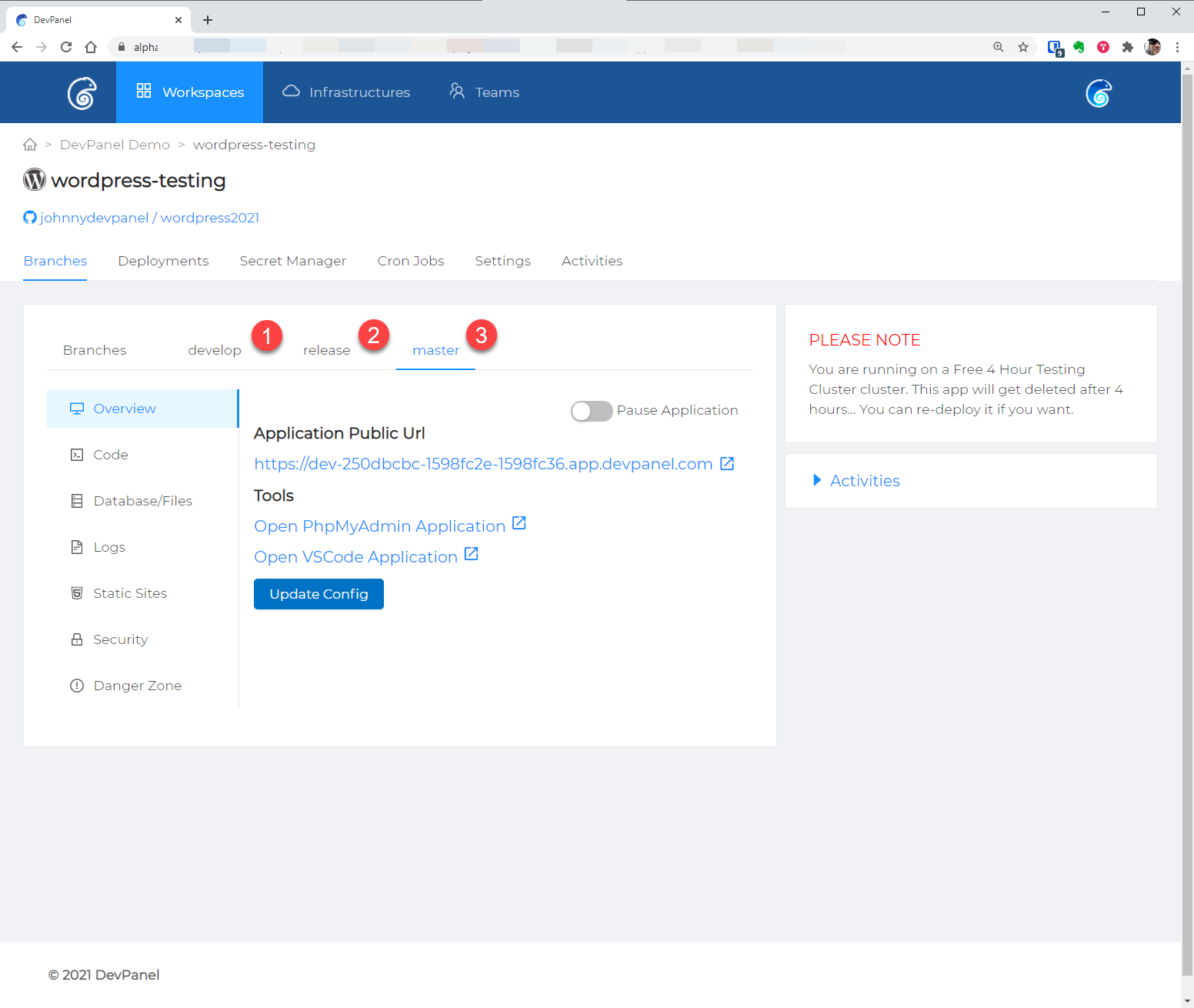
All branches
Other branches, including feature branches, can be seen under "Branches."
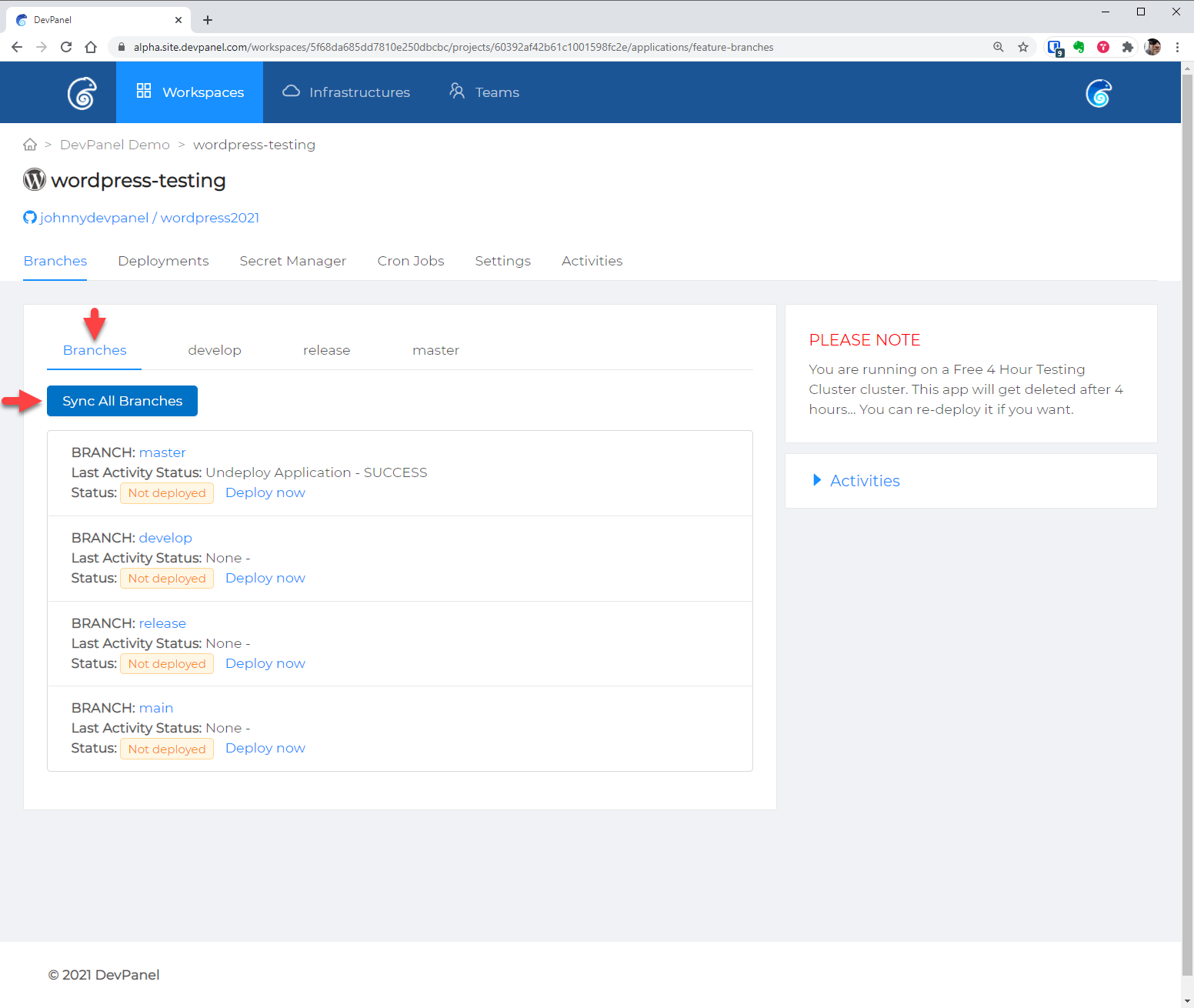
If you recently created a branch and don't see it here, click on the "Sync All Branches" button to update this list.
Deleting a branch on your git provider for which an application already exists in DevPanel is NOT recommended and can have undesired results.
Copying files and database between branches
When creating an application from a branch, you can specify the source of the files and database for that application.
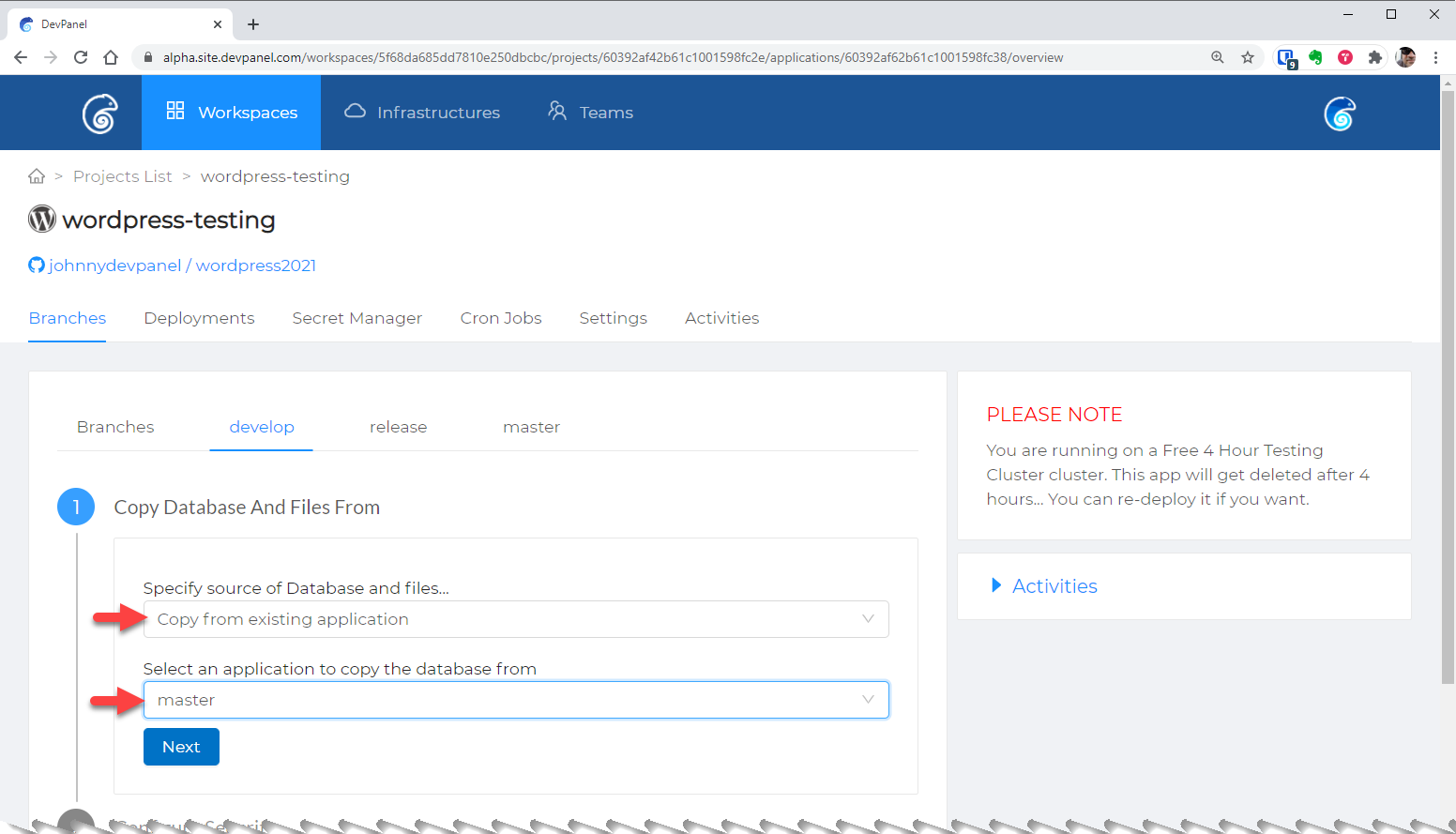
For larger sites and team projects, we recommend that you NOT use the master database for development. For such projects, you should have a separate, smaller, testing database that you use as source.
The time required to complete this process can vary depending on the size of the source database and files.